Track and trace
Select the item you wish to track from the options below. If you are not sure what type of item you have you can click on the ticket images below for more information and examples.
If you have any queries, please contact your local branch.
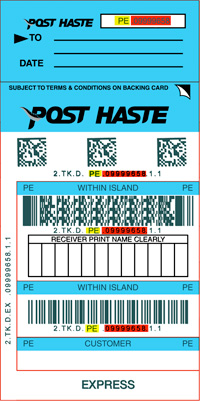
Courier Tickets / Packs
Track your item using your ticket’s product code and number
To search for your item, enter the code and number from your Ticket or Express Pack Satchel. (eg: PE 09999658) and then click ‘Track My Item‘.
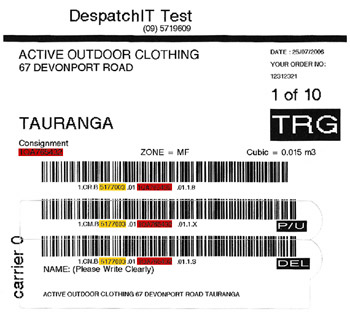
Show sample ticketCustomer Printed Labels (incl. Despatch IT Labels)
Track your item using your account and consignment numbers
To search for your item, enter your account number and Consignment Number from your Ticket. (eg: 999965899 and 1234567890) and then click ‘Track My Item‘.
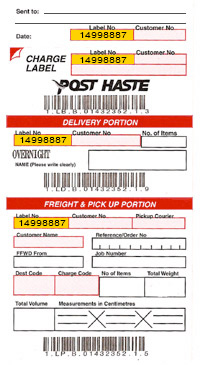
Show sample ticketCharge Labels
Track your item using its label number
To search for your item, enter the Label Number from your Charge Label. (eg: 14998887) and then click ‘Track My Item‘.
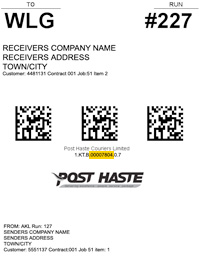
Show sample ticketContract Bags
Track your item using your contract bag’s serial number and dates
To search for your item, enter your contract Bags Serial number and From / To dates. (eg: 00007804) and then click ‘Track My Item‘.
Show sample ticketBar Code
Track your item using the numbers below its bar code
To search for your item, enter the numbers below the Barcode.
Manifest Reference
Track your item using the manifest item number, reference and dates
To search for your item, enter the Manifest Customer Number, Reference and Dates.